Tab 2 — Processing
Process selected documents and monitor progress.
Before Processing
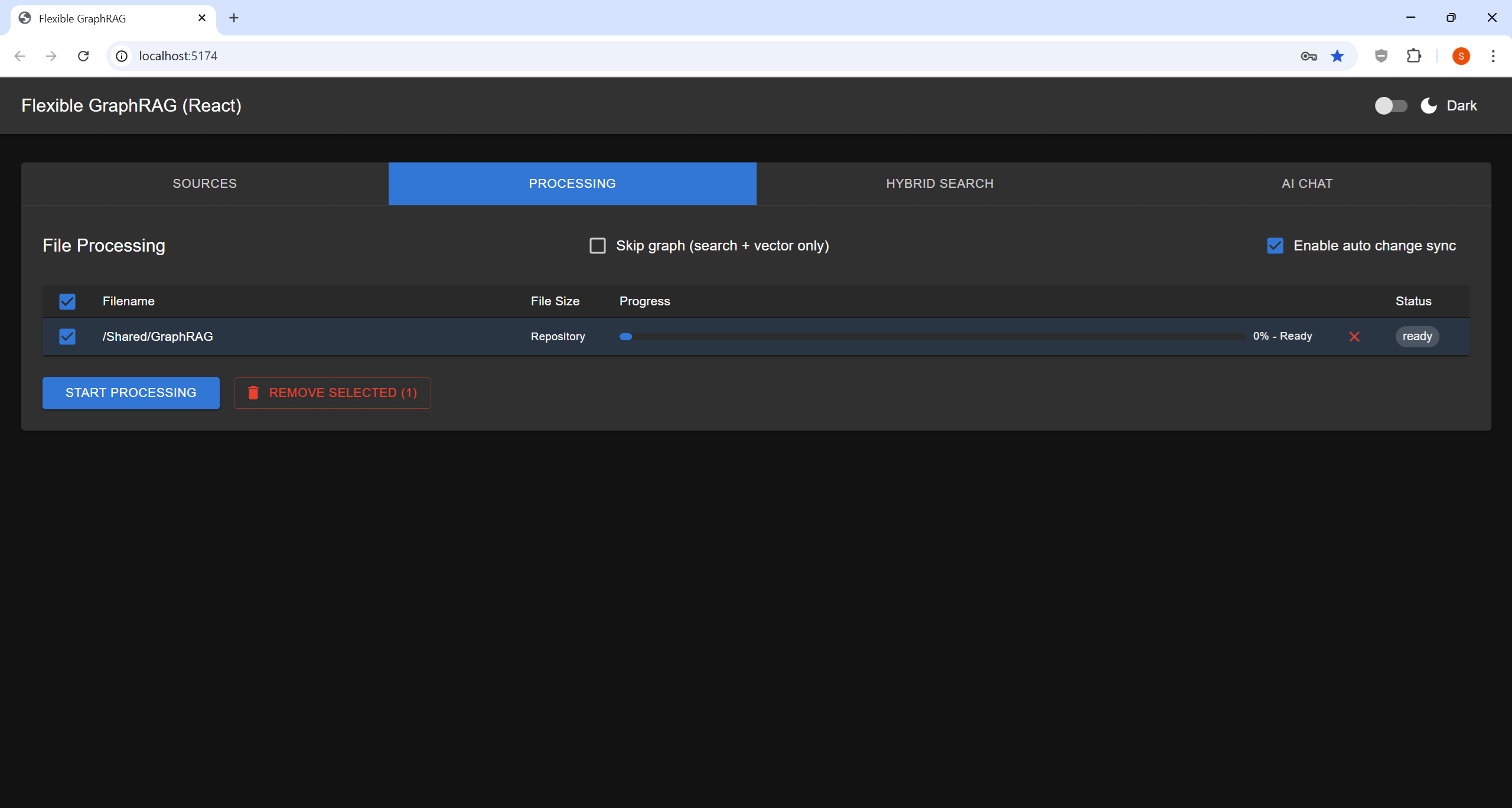
Click "START PROCESSING" to begin. The button is visible once files or a data source are configured.
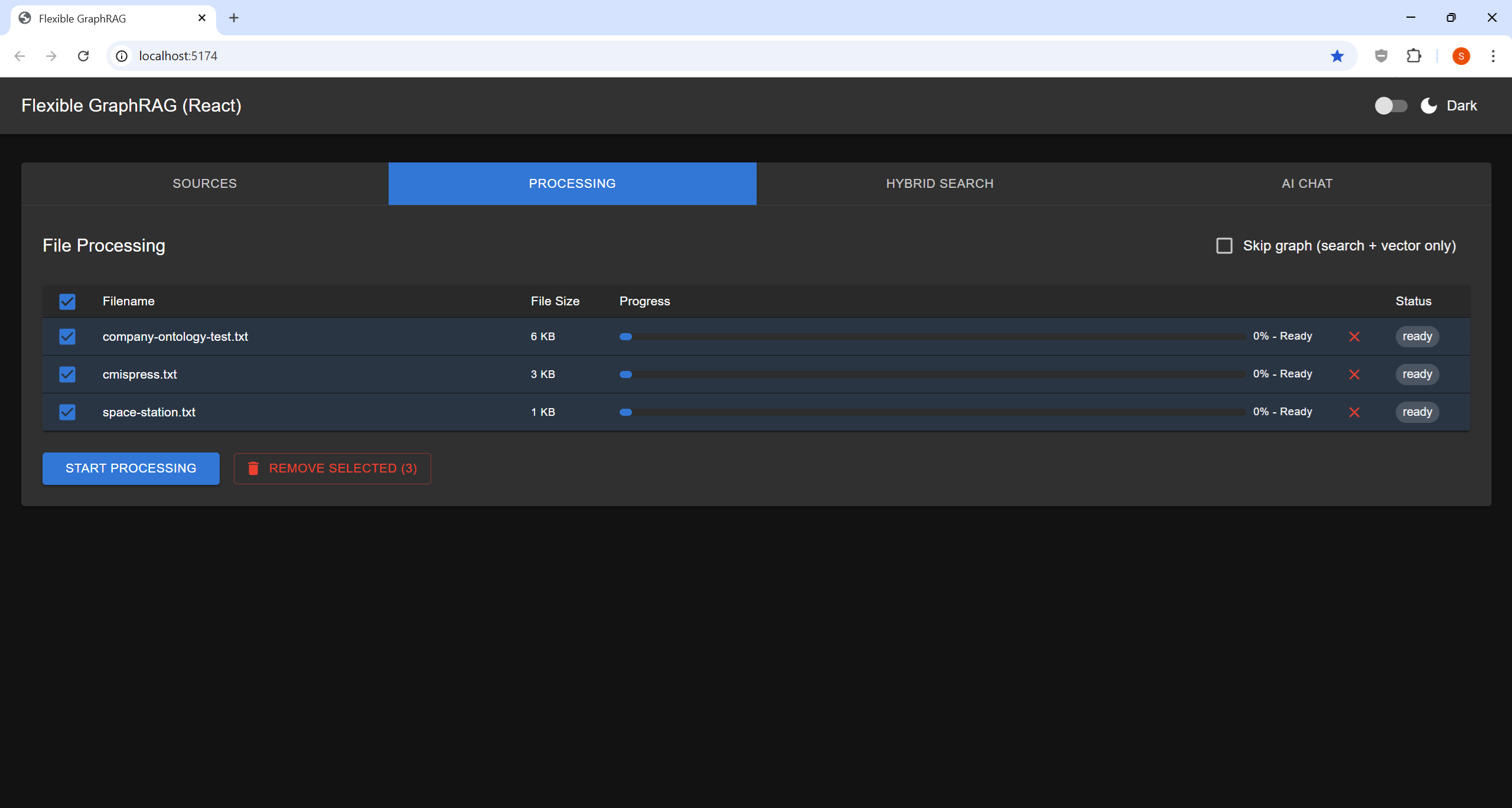
Starting Processing
- Tick Auto Sync on the rows to keep in sync (or, when the incremental registry is off, select "Enable auto change sync") if you want automatic monitoring for file changes (supported sources only)
- Click "START PROCESSING" to begin
- Monitor real-time progress bars per file
- The pipeline runs: document parsing → chunking → vector indexing → knowledge graph extraction → full-text indexing
Processing Options
| Option | Description |
|---|---|
| Document Parser | Docling (local, free) or LlamaParse (cloud API) |
| Skip Graph | Skip knowledge graph extraction (vector + search only). Replaced by the per-row Graph / RDF columns (Graphs with an older backend) when those are shown (below) |
| Enable auto change sync | Turn on incremental update tracking for this source. Replaced by the per-row Auto Sync column when that is shown (below) |
| Run in background | Start the job and keep the tab free to start another; follow it on the Jobs sub-tab |
Search+Vector and Graphs per Row (all data sources)
With the incremental system on (default or Langflow pipeline), the table gets checkbox columns that say what each row should end up in, for every data source:
- Search+Vector — the vector and full-text search stores
- Graph and RDF — the property graph (
PG_GRAPH_DB) and the RDF graph (RDF_GRAPH_DB), each on its own (needs Search+Vector). Each column is shown when that store is configured andENABLE_KNOWLEDGE_GRAPHis on. With a backend older than v0.9.0 there is one Graphs column for both - Auto Sync — kept up to date with source changes (needs Search+Vector). There is no Auto Sync column where no sync can watch the source: file uploads, CMIS, web, Wikipedia and YouTube
Alfresco, Nuxeo and file uploads get one row per document or folder. The other sources (S3, GCS, Azure Blob, Box, Google Drive, OneDrive, SharePoint, CMIS, web, Wikipedia, YouTube) get one row for the whole datasource: unticking Graph or RDF removes only that graph, unticking Search+Vector removes all of it, ticking either back re-ingests, and Auto Sync on / off starts or stops its auto sync (stopping keeps the documents).
Deep: the Alfresco, Nuxeo and Box source forms have a Deep checkbox — include subfolders
at every depth (recursive) in the ingest and its auto sync. It starts at the backend's
DEFAULT_RECURSIVE (true unless set; the UIs read it from GET /api/ui-defaults, v0.9.0+).
They start at what each row is in now (new rows: Search+Vector, and Graph / RDF as the backend's
DEFAULT_ENABLED_GRAPH / DEFAULT_ENABLED_RDF say, both true unless set), and the Status
column shows that: search+vector, graphs (with separate columns: search+vector, graph, rdf),
search+vector, not ingested, or removed, with
(synced) when an auto change sync holds it. A header checkbox sets a column for every row. A
column whose stores are set to none in .env is disabled.
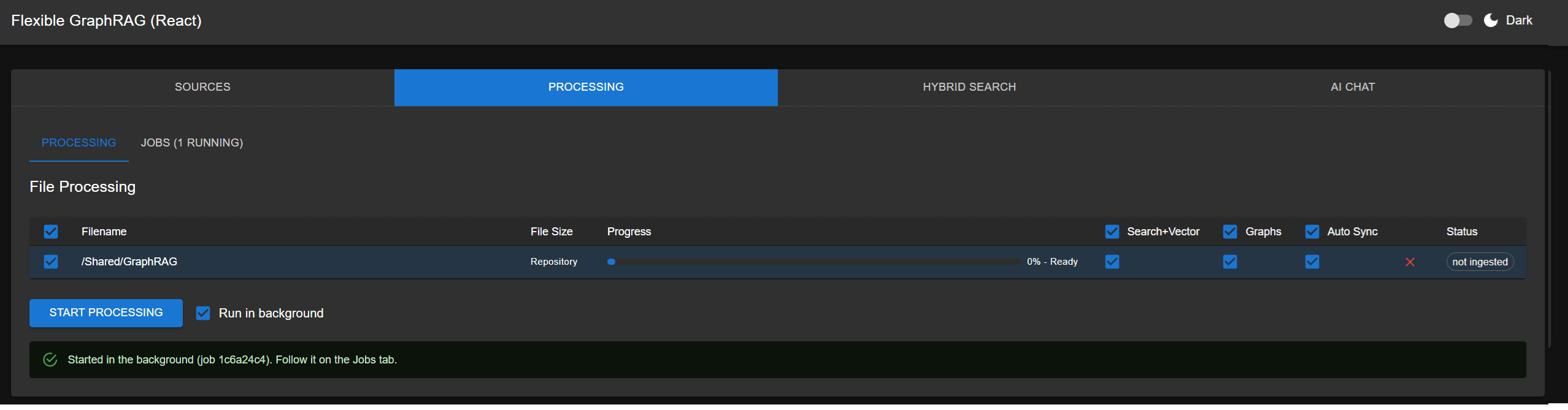
Rows already in the stores start unchecked. Changing a row's Search+Vector or Graphs checks the row; START PROCESSING then does, for each checked row:
| Search+Vector | Graphs | Row is in now | START PROCESSING |
|---|---|---|---|
| ☑ | ☑ | anything | ingest with graphs (a refresh if it is already there) |
| ☑ | ☐ | search+vector and graphs | remove the graphs only |
| ☑ | ☐ | search+vector only, or nothing | ingest without graphs (a refresh if already there) |
| ☐ | ☐ | anything | remove it from every store |
With separate Graph and RDF columns, each graph follows the Graphs column above on its own: unticking only RDF on a row that has both graphs removes the RDF graph and keeps the property graph, and ticking only Graph on a new row ingests it with the property graph and no RDF graph.
All of it runs as one job. Afterwards the rows' choices go back to their defaults, so pressing START again does not repeat the run. Removing never touches the repository; ingest again to put a row back.
With auto change sync, a removal sticks: a document whose graphs were removed keeps leaving the graph out of its sync updates, and a document removed from every store stays out of the sync (its row shows removed) even when it changes in the repository — until you ingest it again. Renames and moves are still recorded. Each graph is also a datasource setting: once none of its documents is left in a graph, its auto sync stops building that graph, and an ingest that builds it turns it back on.
Auto Sync per Row
The Auto Sync column starts checked for rows an auto change sync follows. For each checked row, START PROCESSING applies a change in it along with any store change:
- Unchecked: the sync stops for the row's documents — they stay in the stores as they are, and later repository changes leave them alone. If the row is one of the datasource's own roots (a node selected when the sync was set up, or its path), it also comes off the datasource's root list, so new files there are no longer picked up. Once a datasource has no roots left it stops syncing: it becomes an ingest-only record while some of its documents are still in a store (they can still be refreshed or removed here), and it is deleted once none is. So to remove an auto sync completely, uncheck Search+Vector (removes from every store) and Auto Sync on its rows.
- Checked on a row whose sync was stopped: it resumes (a root goes back on the list), and the row is ingested again, so edits made while its sync was off reach the stores right away. On a row no sync covers (say, two new documents, one checked): the run's datasource becomes an auto sync watching the checked rows, and the other rows ingested with them are recorded in it with their auto sync off — check them later to resume. It is all one job.
Jobs Sub-tab
The Processing tab has two sub-tabs, Processing and Jobs (Jobs (N running) while some run). Jobs lists the processing jobs — ones started here and auto sync runs — oldest first, with start time, what was selected, source, status, progress and the full message (which names the stores, e.g. Removed 5 document(s) from Neo4j property graph and Ontotext GraphDB rdf graph.). Running ingest jobs can be cancelled; Clear finished removes finished ones from the list. The backend keeps the list in memory until it restarts.
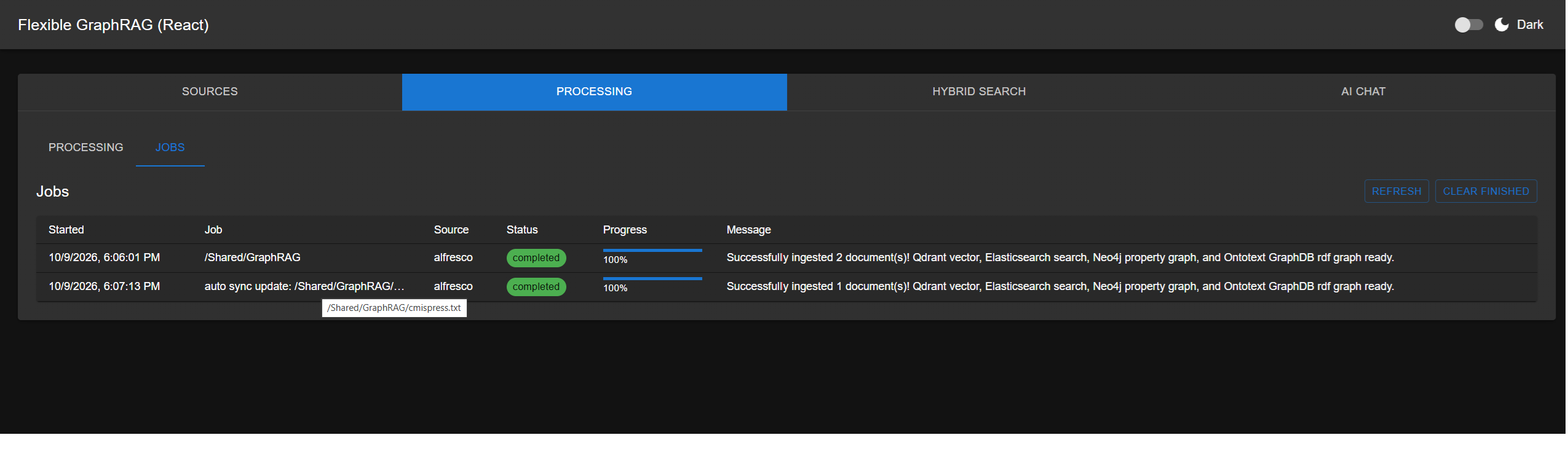
With Run in background, START returns at once and the Processing sub-tab is free; when the
job finishes, its per-file result and message are shown there like a foreground run. In KG
Spaces, leaving the page for elsewhere in ACA and coming back keeps the selection, the run and
its progress. KG Spaces for ACA and KG Spaces for Nuxeo start with Run in background ticked
(v0.9.0+; the Angular library's runInBackground option).
When a run finishes, the Sources chips on Hybrid Search and AI Chat are refreshed, so a source the run added or emptied shows up or goes away (v0.9.0+).
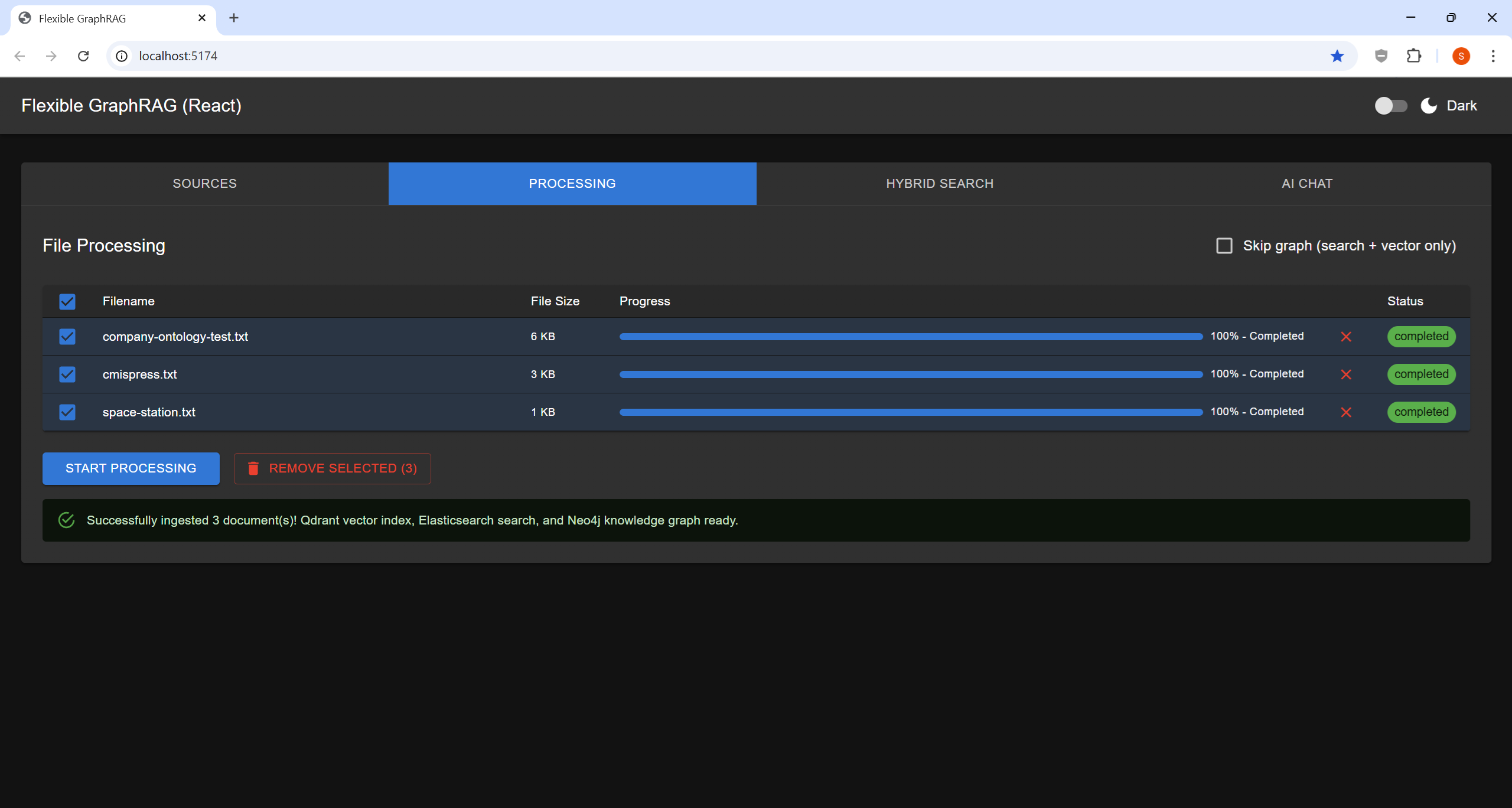
Processing Complete
File Management
- Click a row's ✕ to take it off the list — not from your source system, and not from the stores (see Remove above)
Auto-Sync Processing
When Auto Sync is ticked on a row (or "Enable auto change sync" is selected, with the incremental registry off) before clicking "START PROCESSING", the system continues monitoring the source for changes after the initial ingest completes.